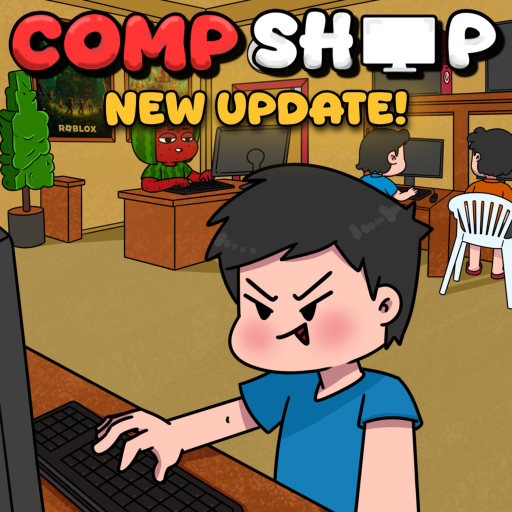
Compshop Arcade
What Is the Compshop Arcade?
The Arcade is one of the newest major features in Compshop, the Roblox internet cafe simulator by [Q]uantum. It lets Bantays add arcade machines to their computer shop, giving customers another reason to stay longer and spend more cash while they wait for a PC or take a break from browsing.
Arcade content arrived during a wave of beta updates alongside mousepads, expanded food menus, and the weather system. Because Compshop is still in beta, arcade machines, prices, and payouts may change between patches — check our updates page after each game update.
How Arcade Machines Work
Arcade machines function as secondary income sources in your shop. Customers interact with them similarly to PC stations: they approach a machine, play a session, and you earn cash from their usage. The exact payout depends on machine tier, shop traffic, and whether an x2 Cash event is active.
Unlike PC parts, arcade machines do not use the gacha pull system. You purchase them directly from the shop menu once unlocked. Treat them as steady side income rather than a replacement for upgraded PC rigs — your main revenue still comes from high-tier PC setups on our PC parts page.
- Buy arcade machines from the shop customization menu after tutorial completion.
- Place machines in open floor space near customer walkways.
- Earn passive cash when visitors use machines during peak hours.
- Stack earnings with Double Cash Potions during x2 events.
- Combine arcade zones with food stalls to increase dwell time.

Best Arcade Layout Tips
Placement matters as much as machine count. Put arcade units near the entrance or between PC rows so walk-in traffic naturally discovers them. Avoid blocking paths to PC stations — frustrated customers leave faster and earn you less.
Group two or three machines into a small arcade corner with decorations from our decorations guide. Neon-style decor and seating make the area feel like a real Filipino internet cafe game zone, which fits Compshop's cultural theme.
Arcade vs PC Stations — When to Invest
Early-game players should prioritize PC part upgrades before buying multiple arcade machines. A single basic arcade unit is fine once your first two PC slots generate steady income. Mid-game, when PC rows are mostly filled, arcade expansion becomes a smart diversification move.
During cash events, temporarily shift focus to whichever income source has the lowest setup cost per peso earned. Often that means buying one more arcade machine instead of saving for an expensive legendary GPU pull — especially if you already have luck potions saved for rare parts later.
Arcade and Other New Systems
Arcade machines pair well with the new food system and weather effects. Rainy in-game weather can drive more indoor traffic, while snacks keep customers at arcade stations longer. Mousepads on PC desks handle the core gaming crowd; arcade corners capture casual visitors.
For a full walkthrough of setting up arcade corners alongside PCs, read our how to use arcade guide or watch the gameplay video embedded above.
Future Arcade Updates
Beta patches may add new machine skins, mini-game types, or event-exclusive arcade items. The Compshop Discord community typically shares screenshots of unreleased content before official patch notes. Bookmark this page — we update it whenever [Q]uantum ships arcade-related changes.