How to Play Compshop
Getting Started with Compshop
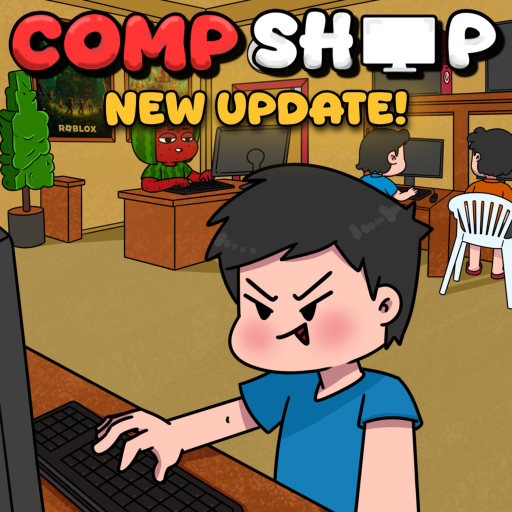
Compshop is a Roblox internet cafe simulator where you step into the role of a Bantay — the person who runs a neighborhood computer shop. Your goal is to build the best compshop on the server by purchasing PC parts, arranging your space, serving customers, and continuously upgrading your equipment.
The game is developed by [Q]uantum and is currently in beta, meaning features are added frequently and some bugs are expected. Despite its early stage, Compshop has attracted a dedicated community drawn to its unique Philippines-inspired computer cafe theme and satisfying upgrade loop.

The Tutorial Walkthrough
When you first join Compshop, a tutorial guides you through the basics. You will learn how to place your first PC, interact with customers, earn cash, and navigate the shop interface. Pay close attention to the cogwheel settings button on the left — this is where you redeem Compshop codes later.
Complete the entire tutorial before redeeming codes or making major purchases. Some features unlock only after tutorial completion. The tutorial also introduces the shop customization menu where you buy PC parts and decorations.
Understanding the Bantay Role
As a Bantay, you manage every aspect of your internet cafe. This includes choosing which PC parts to install, setting up seating areas, stocking food for customers, and decorating to make your shop stand out. Other Roblox players can visit your shop, use your PCs, and support your base.
The Bantay concept reflects Filipino internet cafe culture where attendants help customers with gaming sessions, printing, and snacks. Compshop captures this atmosphere while adding a progression system with rarer parts and bigger shops. Read our full Bantay role guide for a deeper dive.
Your First Hour in Compshop
After the tutorial, redeem all active codes for starting cash and potions. Visit our codes page for the current list including the August 2026 milestone codes (Kuryente, Wifi, 4Mvisits, and 3Mvisits). Spend your initial cash on basic PC parts that increase your customer capacity. Do not hoard cash early — investing in parts generates more income per minute.
Place your first upgraded PC in a visible spot. Add a basic decoration if affordable. Check the controls reference if you play on mobile, as the interface differs slightly from PC.
Core Gameplay Loop
Compshop follows a straightforward loop: customers arrive, use your PCs, pay cash, you reinvest in better parts and more stations, attract more customers, repeat. Breaking this loop down into daily goals keeps progression feeling rewarding even during beta.
- Earn cash from customers using your PC setups.
- Buy and install better PC parts from the shop menu.
- Add decorations and food to improve customer experience.
- Use potions when pulling for rare parts.
- Expand your shop layout to fit more stations.
- Redeem new codes and play during x2 Cash events.
Tips for New Players
Focus on income-generating upgrades before cosmetic decorations. Read our cash farming guide and PC upgrade guide for mid-game strategies. Join the Compshop Discord for update news and code alerts.
Visit other players' shops for layout inspiration. Supporting bases builds community goodwill and helps you discover upgrade paths you might not have considered. During the x2 Cash event, prioritize playing over decorating.